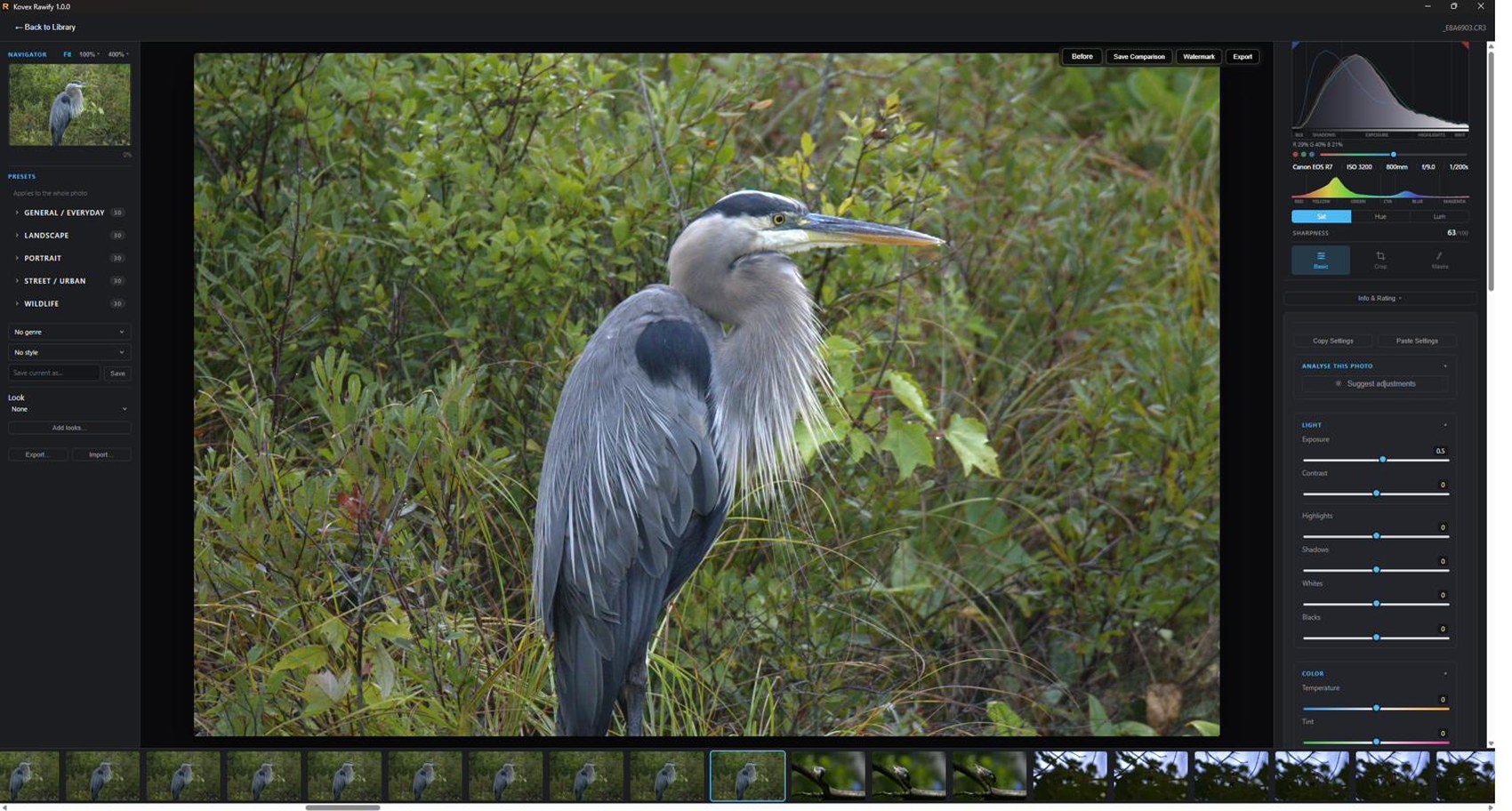
The develop window. Presets on the left, the photograph in the middle, everything that changes it on the right.
A serious RAW editor for wildlife and wedding photographers. Works on a laptop in a hide with no signal. No subscription, no account, no cloud — your photographs stay on your disk and nothing is ever uploaded.
Perpetual licence · Three computers · Free updates within v1
The develop window. Presets on the left, the photograph in the middle, everything that changes it on the right.
 Lightroom Classic
Kovex Rawify
Lightroom Classic
Kovex Rawify
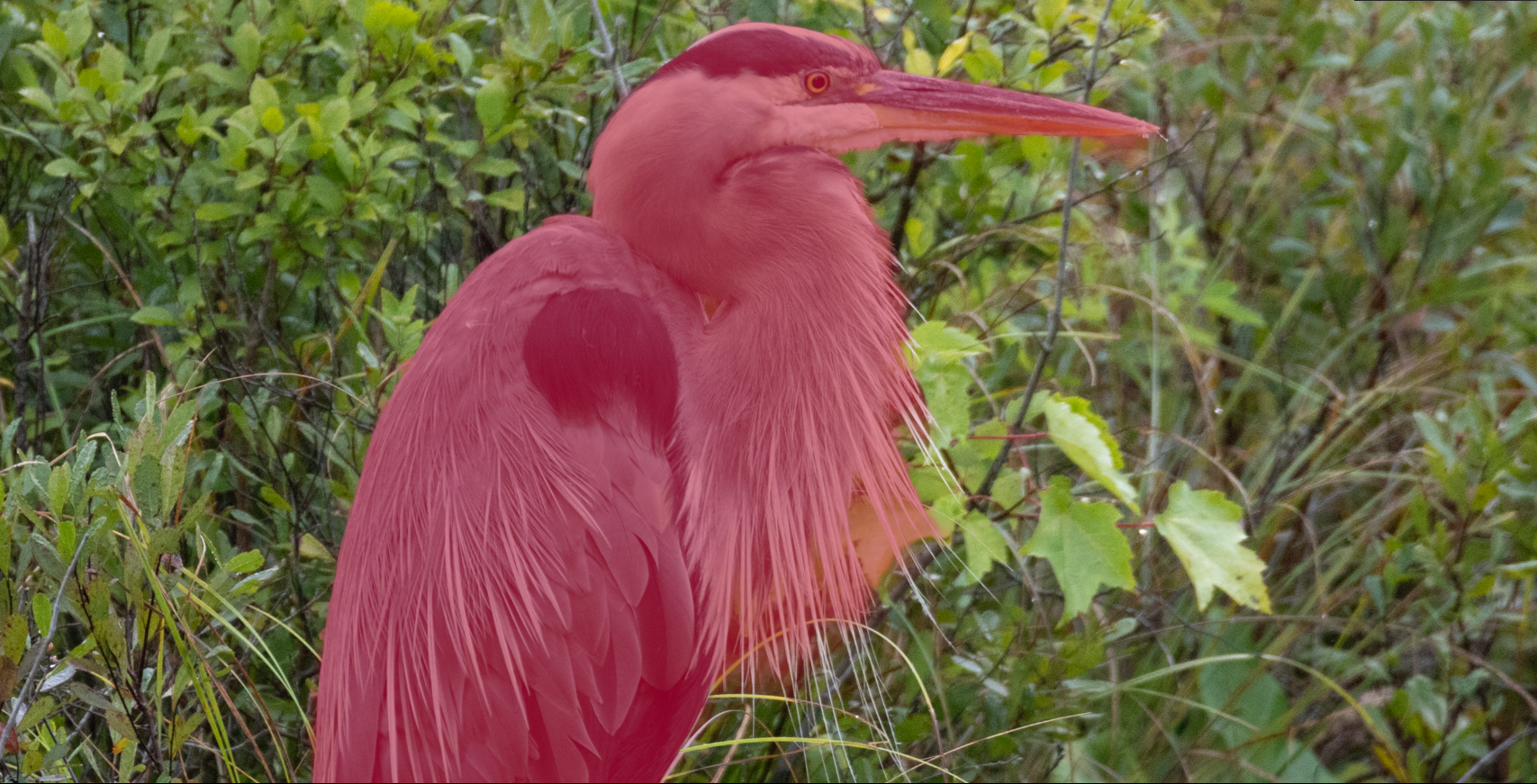
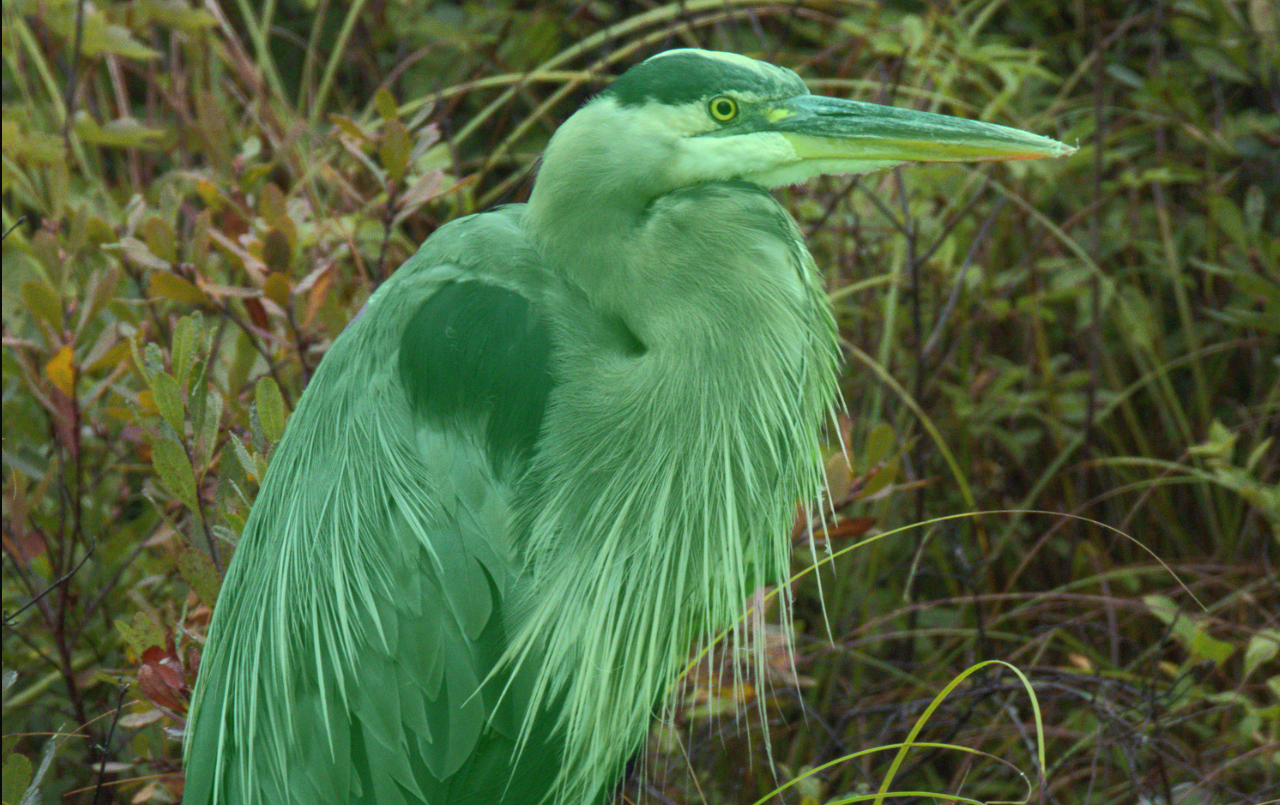
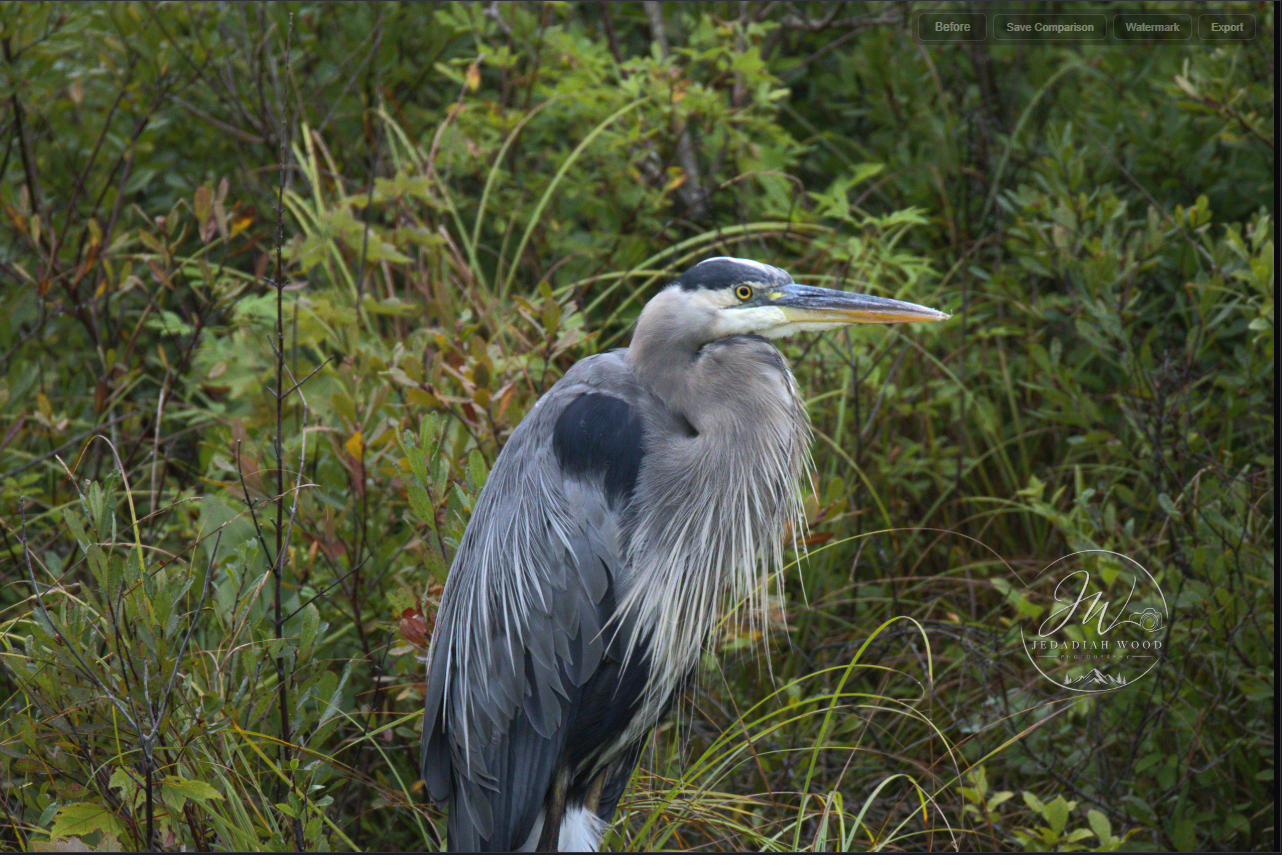
Same photograph. Same subject mask. Drag to compare.
Lightroom stops at the bird's outline — every breast plume is left behind.
Not a feature list. The things that change how a week of editing feels.
A hide with no signal. A hotel with hotel wifi. A plane. Kovex Rawify never asks the internet for permission — cull, edit and export a whole shoot on a laptop that has been offline for a fortnight.
No account, no sync, no telemetry. Your photographs, your catalogue and your edits sit in your own folders on your own disk. Client work stays client work.
There is no subscription to lapse and no card on file to expire. Buy it once and it is yours — which also means your back catalogue stays openable, however long you leave it.
Around 2 GB of memory in normal editing. Adobe ask for 8 GB minimum and recommend 16, and their own forums are full of Lightroom Classic climbing past 30. You do not need a new machine for this one.
measured: about 2 GB while editingFocus stacks, exposure merges and panoramas happen where you are already working. No round trip to another program and back with a file that has lost half its latitude.
Desktop, laptop, and the machine in the office. Move a seat between them yourself whenever you like — no email to support, no waiting.
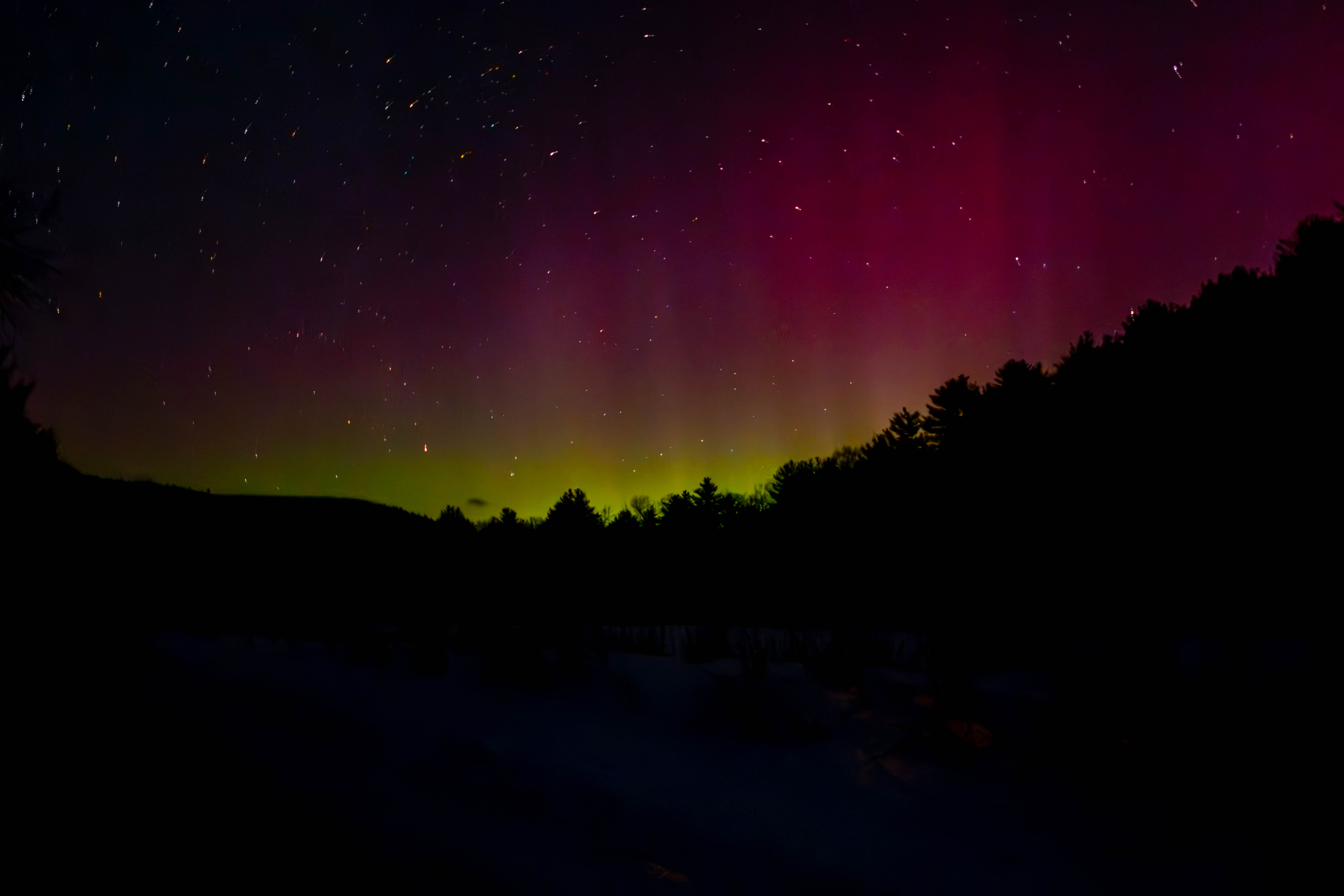
Thirty-two bit float from the sensor to the export. A sky like this has nowhere to hide a rounding error.
Built to be understood while you use them.
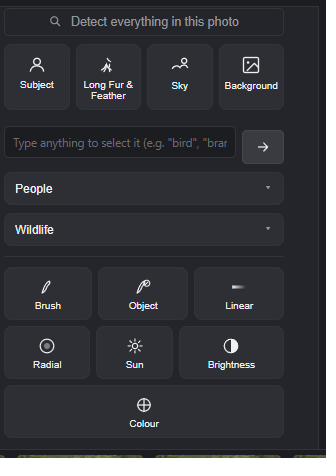
Subject, sky, background, object, brush, linear, radial, sun, a typed description — and Long Fur & Feather, for edges made of hair.
Add, subtract or intersect any of them. Every step stays separate afterwards: click one to bring its handles back, move it, or remove it, and the mask rebuilds around what is left.
And the whole editor works inside a mask — forty-four adjustments, including all three denoisers, chosen per mask. Run detail-preserving denoise on a bird at full strength and leave the background grain exactly as it was.
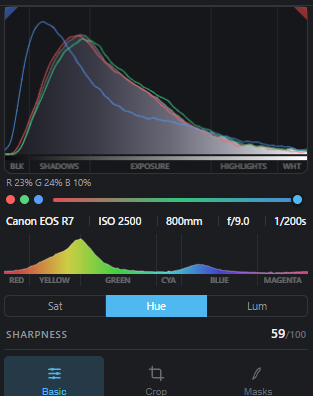
Every other editor gives you a histogram to read and sliders to move. Here they are the same thing: the plot is divided into blacks, shadows, exposure, highlights and whites, and dragging a region moves that control directly.
You look at the part of the curve you want to change and change it there — instead of reading a shape, working out which of five sliders governs it, and looking away to find it.
Underneath: eight colour bands drawn in the colours they move between, and a sharpness score for the frame.
Push contrast, shadows, highlights or exposure to their limits and a colour stays the colour it was. Most pipelines slide reds toward orange and blues toward purple as you work them, and you only notice once the photograph is finished.
The whole path runs in 32-bit floating point, end to end. Nothing quantises your photograph on the way through, so a blown wing still has detail to recover at the far end.
measured: 0.00° hue drift across every tone control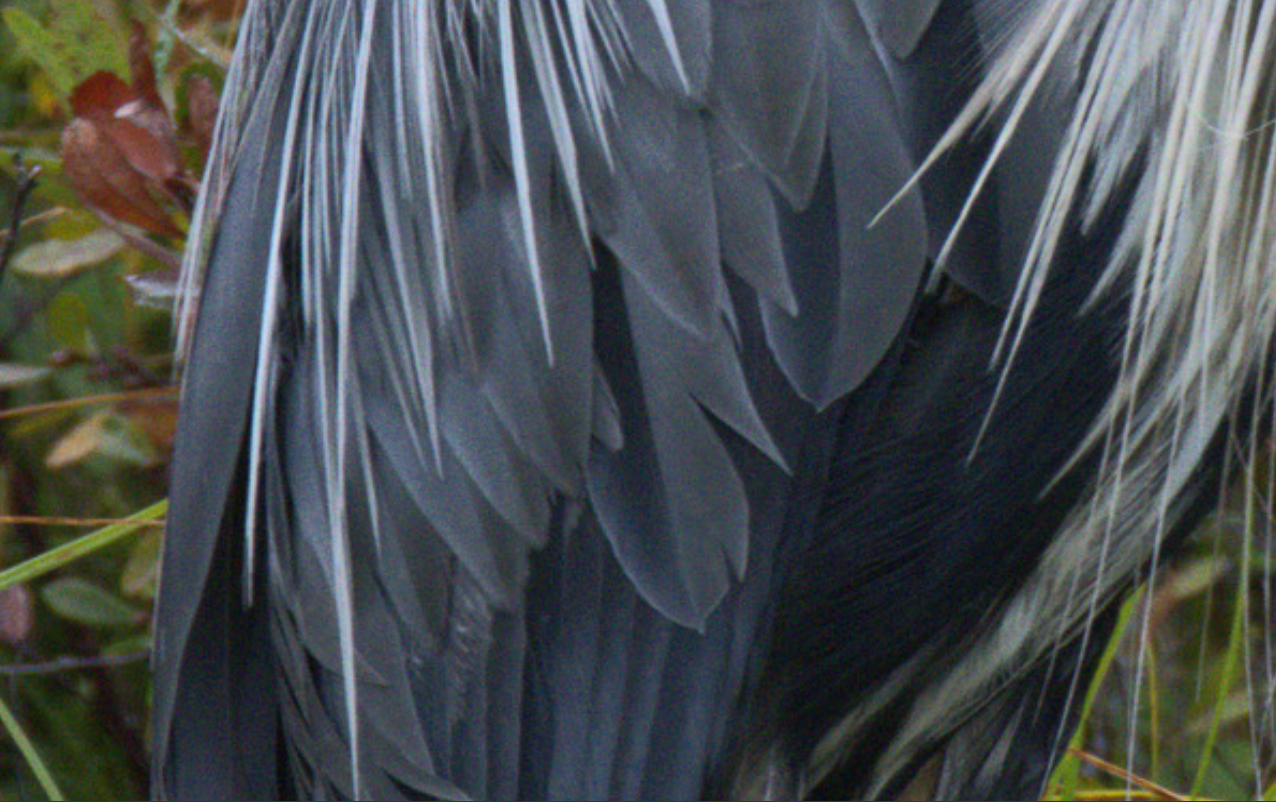
Place a watermark anywhere, at any size, turned to any angle — on one photograph or five hundred. 150 presets to start from, saved looks of your own, and presets that can be applied to a single mask rather than the whole frame.
Focus stacking, HDR merge and panorama stitching happen in the same window. No round trip to another program and back with a file that has lost half its latitude.
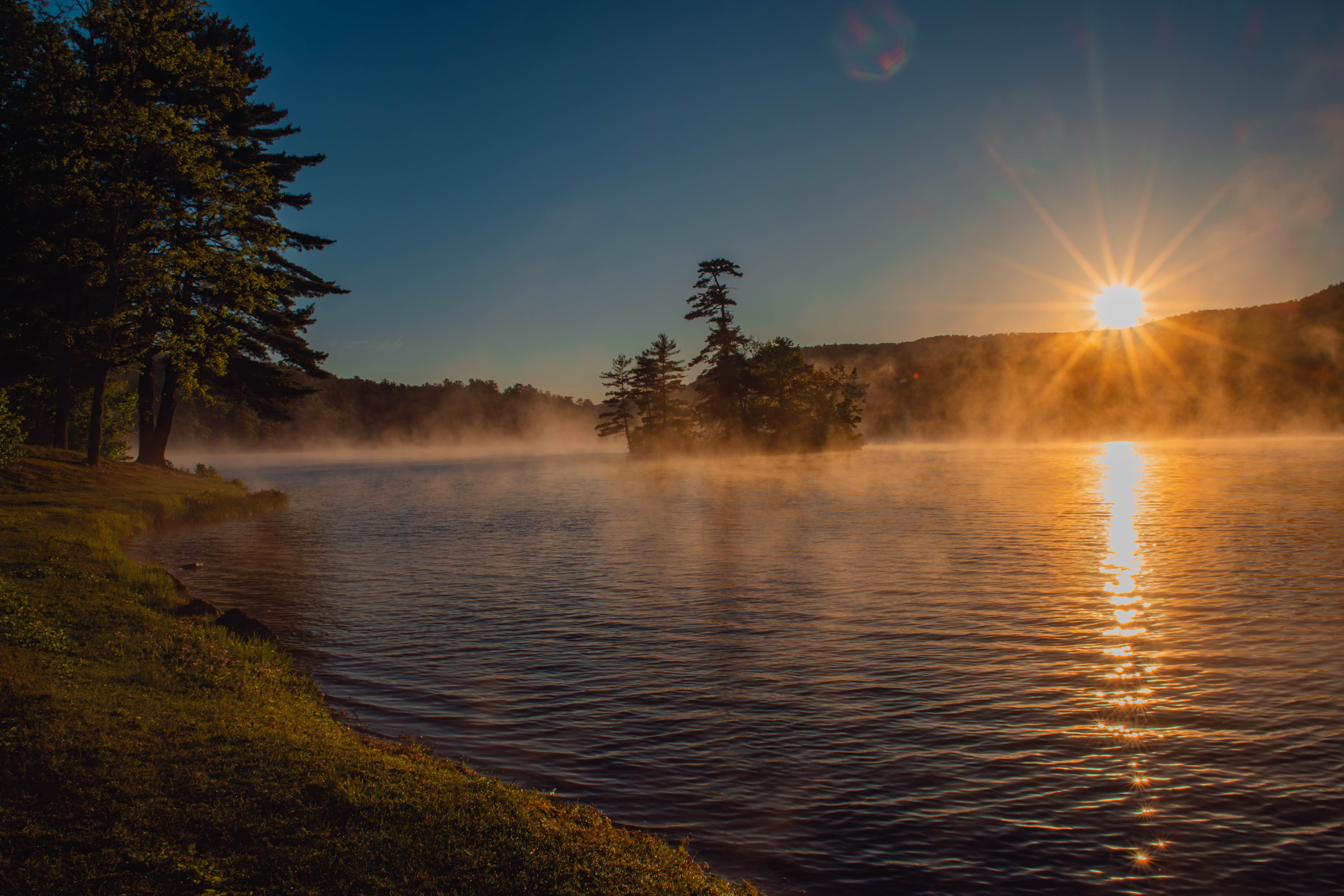
The Sun mask puts a source where you want it, with beams that break up as they fall — and a brightest point you can move along them.
Lightroom and Capture One are fine programs. These are the places where this one is a different proposition.
| Kovex Rawify | Lightroom Classic | Capture One | |
|---|---|---|---|
| Cost | $100 once | From $120/year | $299 or $180/year |
| Edit on a plane with no wifi | ✓ Always | Until it wants a check-in | Until it wants a check-in |
| Account required | ✓ None | Adobe ID | Capture One ID |
| Anything uploaded about your work | ✓ Nothing, ever | Account, sync, usage data | Account, usage data |
| Memory while editing | ~2 GB measured | 8 GB min, 16 recommended | 8 GB min, 16 recommended |
| Masking hair and plumage | ✓ Dedicated mode | General subject | General subject |
| Adjustments inside a mask | 44, including all three denoisers | A subset | A subset |
| Computers per licence | 3 | 2 | 3 |
| If you stop paying | ✓ Keeps working | Stops | Perpetual option |
Competitor pricing and terms as published at the time of writing.
The two questions worth answering before you buy.
Windows 10 or 11, 64-bit. Any graphics card from the last decade — NVIDIA, AMD or Intel, including laptop integrated graphics. Masking and denoising use it where they can. Where they cannot, they fall back to the processor, so nothing simply fails.
8 GB of memory is comfortable. Editing sits around 2 GB; the heaviest detection — finding everything in a frame, or the fur and feather mask — peaks at 6 to 8 GB while it runs. Roughly 5 GB of disk space, most of it the detection models, which ship inside the installer so nothing is downloaded on first run.
macOS is planned, not yet availableRAW files from every major manufacturer — Canon, Nikon, Sony, Fujifilm, Panasonic, Olympus, Pentax, Leica — including modern compressed formats such as Canon's CR3. JPEG, TIFF and PNG too.
Lens corrections are matched from the file automatically against a bundled profile database.
unsure about your camera? email before you buy| Processing | 32-bit floating point, scene-linear, end to end |
| Tone mapping | Filmic highlight roll-off |
| Acceleration | NVIDIA, AMD and Intel graphics, with a processor fallback |
| Mask types | Ten, combinable and individually editable |
| Adjustments per mask | 44, including all three denoisers |
| Presets | 150 bundled, unlimited of your own |
| Merge tools | Focus stack, HDR exposure fusion, panorama |
| Catalogue | Local, on your disk, in an open format |
| Network use | Licence activation and update checks only |
| Current version | 1.0.0 · released today |
Not a company you have heard of. That is the point.
Kovex Rawify started because a heron would not select. Its breast plumes are about a pixel wide and half background, and every editor I tried found the outline of the bird and stopped there — so lifting the exposure lifted the body and left the plumes behind.
There was no good reason for that. So I built the masking I wanted, and then the denoise I wanted, and eventually the whole editor. It is aimed squarely at the photographs that are actually hard: dawn light, high ISO, fur and feathers against a busy background, and a laptop with no signal.
This is version one, and it is new. What that buys you is software made by someone who uses it every week on his own photographs, rather than by a committee optimising a subscription. What it costs you is a company without a decade of reputation behind it — which is why the refund is seven days, no questions, and why you can email me directly rather than a ticket queue.
If it does not do what you need, tell me. I read everything.
Kovex Rawify is built by photographers, which means the people deciding what gets fixed next are reachable. The Discord is where bugs get reported, features get argued about, and the next release gets decided.
Join the DiscordFree, and you do not need to own the app to join.
No renewal, no tier, nothing that expires.
Kovex Rawify v1 · Windows
Roughly what a subscription costs for ten months. Except it does not stop.
Install it on three machines at once — a desktop, a laptop, and whatever is in the office. If you replace one, release its seat from inside the app and use it somewhere else. No email to support, no waiting for someone to reset it.
Nothing. There is no renewal date, no card on file, and no way for the software to stop working because something expired. Photographs you edited five years ago open exactly as they did.
Every release in version 1, free, for as long as we publish them. Version 2 will be a separate purchase when it arrives — $50 if you already own v1 — and your v1 licence carries on working whether or not you take it.
Photographs you edit are yours. We claim no rights over your images and take no cut of what you sell. Wedding work, client delivery, prints, stock — the licence is the same one.
The one moment the software needs the internet: entering your key. After that it works with the network unplugged, forever. Nothing about your photographs is sent, then or ever.
Seven days, full refund, no questions asked, one per customer. Buying software from someone you have not heard of is a risk, and that risk should be ours rather than yours.